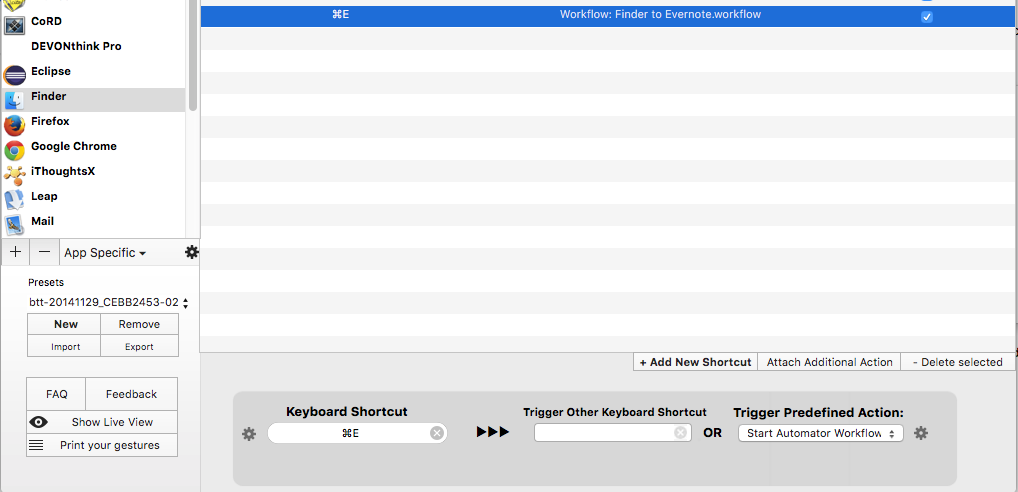
As a follow-up to my post on how to automatically add files to Evernote, keeping persistent links, here is a slightly reworded automator workflow that I use to do the same thing: Mark one or multiple files in Finder and then Hit Cmd-E to have them added to Evernote’s Inbox, while at the same time having those notes in Evernote contain hyperlinks to the original file which are persistent even if the original file is moved around.
So without further ado, here’s the script (it again, optionally, uses Growl):
(*

	Append a file to Evernote as it is added to a folder

*)
use scripting additions
use framework "Quartz"

--
-- Configuration: Target Notebook
--
property theNotebook : "[Inbox]"

--
-- Configuration: Growl app Name and Notification Title
--
property theApp : "File Appender"
property theNotification : "File added"
property isGrowlRunning : false


(*
  ======================================
  // Import the File
  ======================================
*)
on run {input, parameters}
	my registerGrowl()

	repeat with theFile in input
		set the aFilePath to theFile as text
		tell application "Finder" to set aFileName to name of alias aFilePath
		tell application "System Events" to set aFileURL to URL of alias aFilePath

		-- Utilize NSURL to get a persistent reference
		set aRef to (current application's class "NSURL"'s URLWithString:aFileURL)
		set aRef to aRef's fileReferenceURL()'s absoluteString() as text
		set aFileURL to aRef

		-- Display the file we are going to add
		displayMessage("Adding " & aFileName)

		tell application "Evernote"
			try
				-- Create a note with a dummy HTML, since file:// will be removed by Evernote at this stage
				set aNote to create note title aFileName with html "" & aFileName & "
" notebook theNotebook

				-- Get back the HTML Content of the newly created note
				set aNoteHTML to (HTML content of item 1 of aNote)

				-- Replace the dummy HTML by the link of to the file
				set aEditHTML to my replaceString(aNoteHTML, "http://www.google.com", aFileURL)

				-- Replace the HTML content into the note
				set (HTML content of item 1 of aNote) to aEditHTML

				-- Append the actual file to the note
				tell aNote to append attachment aFilePath
			on error error_message number error_number
				if the error_number is equal to 4 then
					displayMessage("Your Evernote account does not support the import of this type of file.")
				else
					displayMessage("Import into Evernote failed: " & "Error(" & error_number & "): " & error_message)
				end if
			end try
		end tell
	end repeat
end run


(*
  ======================================
  // Display a Message
  ======================================
*)
on displayMessage(aMessage)
	if my isGrowlRunning then
		tell application id "com.Growl.GrowlHelperApp"
			notify with name theNotification title theNotification description aMessage application name theApp
		end tell
	else
		display alert theApp message aMessage as warning
	end if
end displayMessage


(*
  ======================================
  // Connect to Growl
  ======================================
*)
on registerGrowl()
	tell application "System Events"
		set isGrowlRunning to (count of (every process whose bundle identifier is "com.Growl.GrowlHelperApp")) > 0
	end tell

	if isGrowlRunning then
		tell application id "com.Growl.GrowlHelperApp"
			set the allNotificationsList to {theNotification}
			set the enabledNotificationsList to {theNotification}
			register as application theApp all notifications allNotificationsList default notifications enabledNotificationsList icon of application "Script Editor"
		end tell
	end if
end registerGrowl


(*
  ======================================
  // Replace String
  ======================================
*)
on replaceString(theString, theOriginalString, theNewString)
	set {od, AppleScript's text item delimiters} to {AppleScript's text item delimiters, theOriginalString}
	set theStringParts to text items of theString
	if (count of theStringParts) is greater than 1 then
		set theString to text item 1 of theStringParts as string
		repeat with eachPart in items 2 thru -1 of theStringParts
			set theString to theString & theNewString & eachPart as string
		end repeat
	end if
	set AppleScript's text item delimiters to od
	return theString
end replaceString
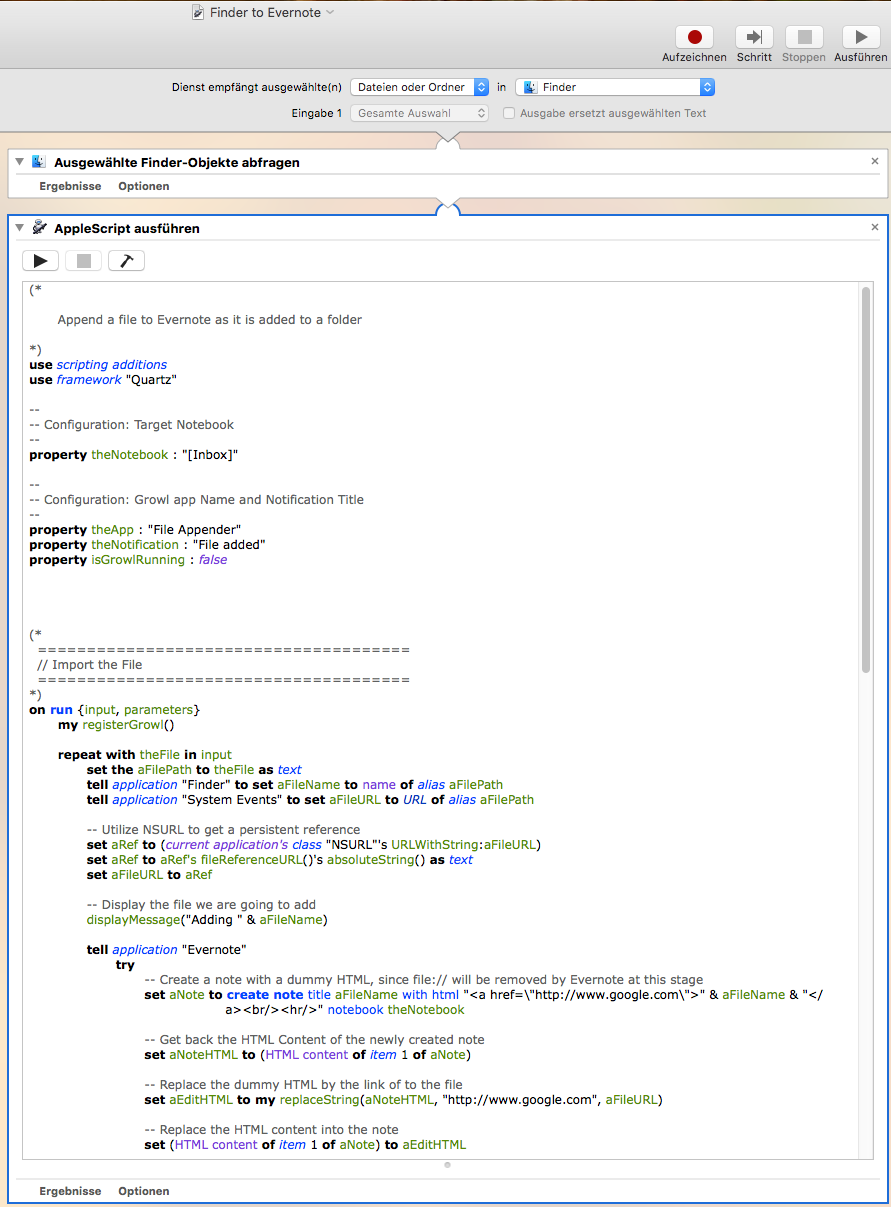
This script is pasted into Automator like so:
And it is bound to Cmd+E using Better Touch Tool, like so: